
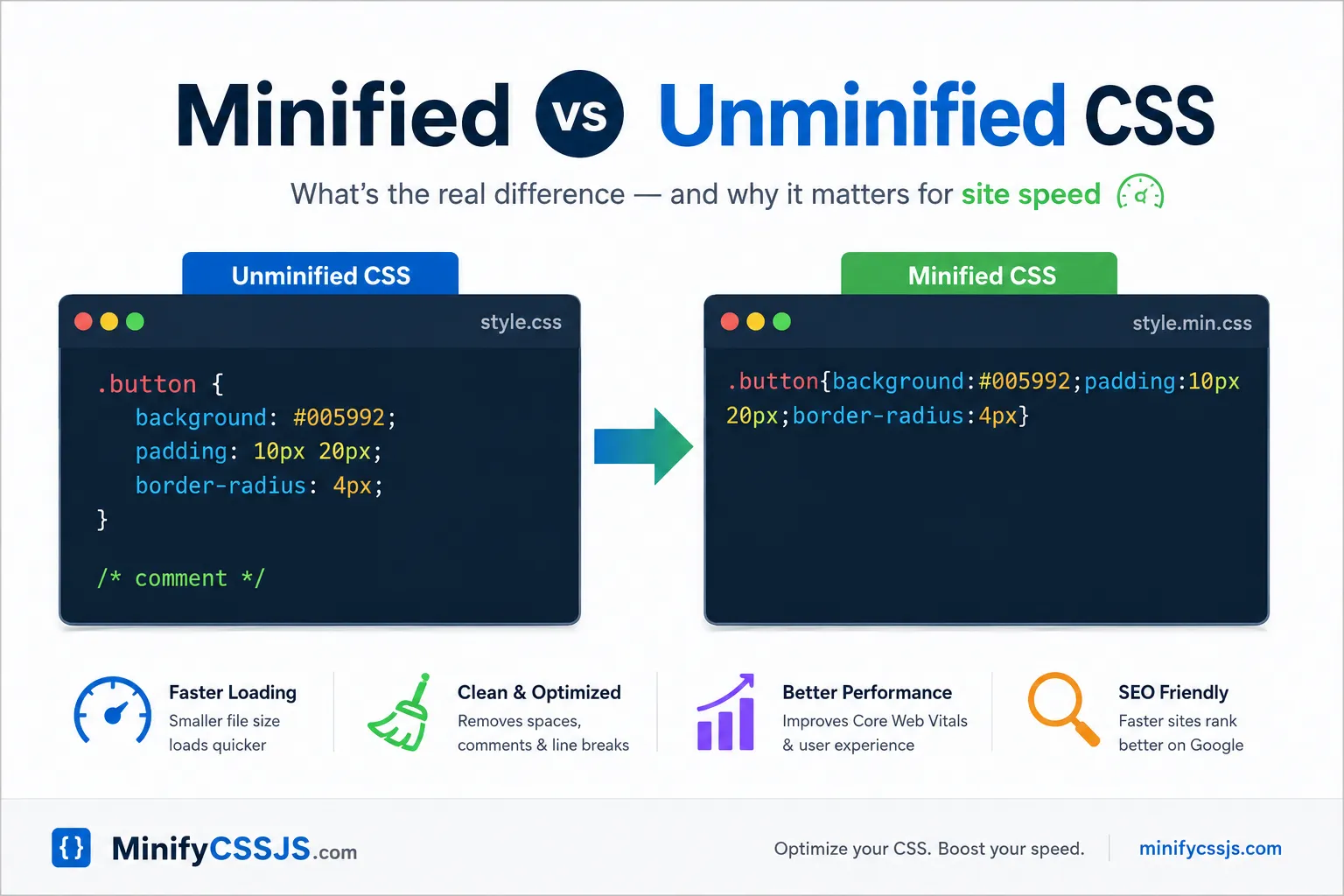
Unminified CSS is written for humans — spaced out, indented, full of comments. Minified CSS is the same styling with every unnecessary character stripped out: whitespace, line breaks, comments. Same design, smaller file, faster page speed. Run it through a CSS minifier and you get both versions without touching your original code.
If you’ve ever opened a .css file and seen one impossibly long line with no spaces anywhere, you’ve already met minified CSS. It looks broken. It isn’t. It’s just not written for your eyes anymore — it’s written for the browser, and browsers don’t care about formatting.
What Unminified CSS Actually Looks Like
This is the CSS you write, or the CSS your WordPress theme ships with by default:
.button {
  background-color: #005992;
  padding: 10px 20px;
  border-radius: 4px;
}
Easy to scan, easy to edit, easy to hand off to another developer. That readability is the entire point — unminified code is a working document, not a finished product.
The catch: every space, tab, and line break in that file still has to travel from your server to your visitor’s browser. On a small page that’s nothing. On a site with 200-400KB of CSS stacked up from page builders and unused theme frameworks, it adds real, measurable delay to your page speed — and page speed is something Google actively factors into rankings.
What Minified CSS Looks Like
Run that same snippet through a CSS minifier and you get:
.button{background-color:#005992;padding:10px 20px;border-radius:4px}No spaces, no line breaks, shorter syntax where possible. A browser renders this exactly the same as the version above — visually nothing changes. But the file itself is smaller, often by 20-60%, depending on how much whitespace and how many comments the original had.
Minified vs Unminified CSS: Side by Side
| Unminified CSS | Minified CSS | |
|---|---|---|
| File size | Larger | Smaller (often 20-60% less) |
| Readability | Easy to read and edit | Unreadable, single line |
| Website loading speed | Slightly slower | Faster |
| Best used for | Development, editing, debugging | Live/production websites |
| Comments preserved | Yes | No |
| Browser rendering | Identical | Identical |
That last row is the part people get nervous about — does minifying css break anything? No. A browser doesn’t process spacing or comments as instructions; it only reads the actual rules. A CSS minifier removes what only humans needed in the first place.
Does Minifying CSS Actually Improve Website Speed?
Yes, but let’s be honest about scale. Minifying a 5KB stylesheet won’t transform your Core Web Vitals. Minifying a bloated 200-400KB stylesheet — the kind you get from stacking multiple plugins and unused theme CSS — can meaningfully improve your page speed, especially for mobile visitors on slower connections, where every kilobyte costs more time.
It also compounds with other performance work. A minified file compresses better with Gzip or Brotli than an unminified one, because there’s less repetitive whitespace for the compression algorithm to chew through. So this isn’t a standalone fix — it makes the rest of your site speed optimization more effective too, and it’s one of the easier wins to check off if you’re trying to pass Google PageSpeed Insights or Lighthouse.
When Should You Keep CSS Unminified?
Never on a live site — but always in your working files. Here’s the setup most developers land on:
- Write and edit CSS in its normal, readable, unminified form.
- Keep that version in your source files or version control.
- Minify only the copy that actually gets served to visitors.
That way you get both: a file you can still understand and debug later, and a file that loads fast for everyone else. Editing minified CSS directly is technically possible, but it’s miserable — one missing bracket in a single-line file is nearly impossible to spot.
When Should You Keep CSS Unminified?
You don’t need a build pipeline or command-line tooling to get this benefit. Paste your CSS into our free CSS Minifier and it strips out the whitespace, comments, and extra characters instantly — no signup, no meaningful file size limit. If you’re cleaning up a project’s frontend generally, the JavaScript Minifier does the same job for your JS files.
A Quick Myth to Clear Up
Minified CSS is not the same as compressed CSS. Minification removes unnecessary characters from the code itself. Compression (Gzip/Brotli) is a separate step your server applies when sending the file over the network. For the best page speed, you want both — they stack, they don’t replace each other.
Unminified CSS is for you. Minified CSS is for your visitors — and for your page speed score. Write in the readable version, ship the minified version, and let a free css minifier handle the conversion so you’re not doing it by hand every time you push an update.
